Option 1: Adding a Client/Location via the Profile Menu
- Go to the Profile menu:
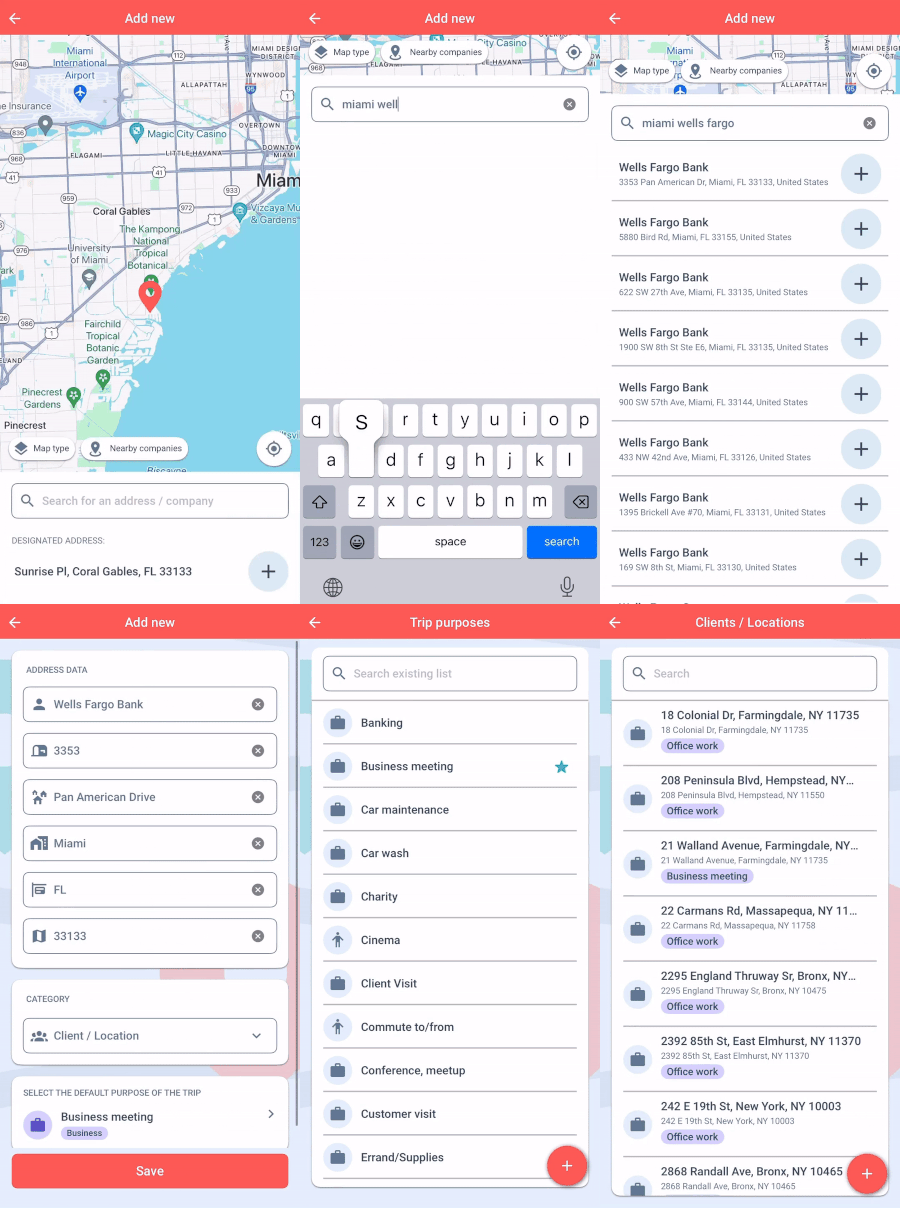
- Select Clients/Locations within the My Data section.
- Add a new client/location:
- Tap the red plus button in the bottom right corner of the screen.
- Interactive Map:
- This opens a new screen with an interactive map. You can:
- Change the map type (e.g., satellite, hybrid).
- List nearby companies based on your current location or the pinned point.
- View your current position on the map.
- Search for a company name or address using the search bar.
- Scroll and explore the map to find the desired location.
- This opens a new screen with an interactive map. You can:
- Select the client/location:
- Once you find the location, tap the plus button in the bottom right corner.
- Review and Save:
- Review the address data (modify if needed).
- Choose a category for the client/location.
- Select a trip purpose.
- Tap Save to add the new client/location to your database.
Option 2: Adding a Client/Location via the ‘Add New Trip’ Menu
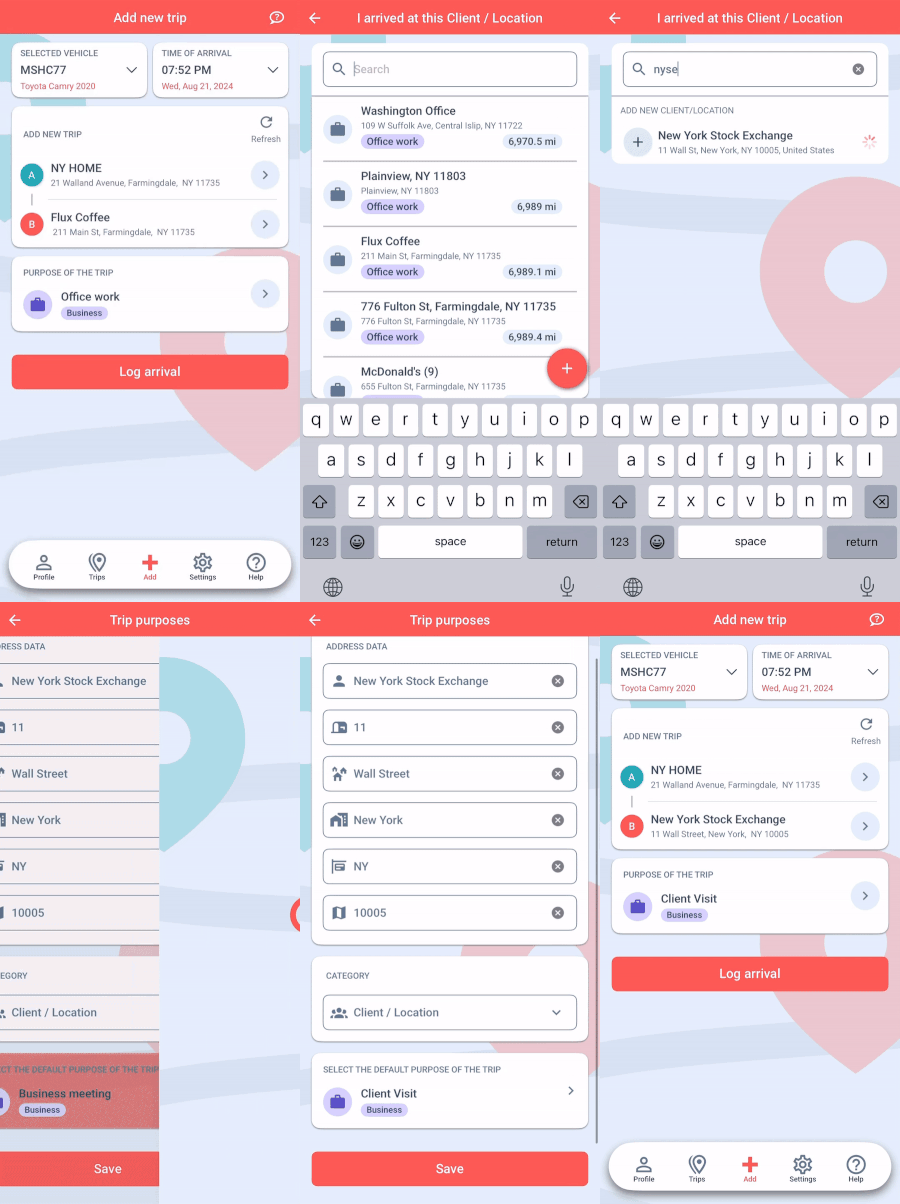
- Go to the ‘Add New Trip’ menu:
- Select the location:
- Tap on either the starting position ‘A’ or arrival position ‘B’.
- Search for the location:
- Use the search bar at the top of the screen to type in the company name or address.
- Select the location:
- Tap on your desired location from the search results.
- Review and Save:
- Review the address data (modify if needed).
- Choose a category for the client/location.
- Select a trip purpose.
- Tap Save to add the new client/location to your database.
This method is ideal when you’re planning a trip and want to quickly add a new client/location to use for future trips.
By using either of these methods, you can easily add and save new clients/locations to your database. This ensures that future trips to these locations are accurately logged, saving you time and effort when recording your mileage.
