Trip Start Time with Automatic Trip Recording
When you use automatic trip recording in the Mileage Tracker by MileageWise mobile app, the trip times are recorded automatically.
-
Start time: The time when the app detects that your trip has started.
-
End time: The time when the app detects that your trip has ended.
You do not need to enter the start time manually for automatically recorded trips.
Trip Start Time for Manually Added Trips
When you manually create or insert a trip, the start time is not filled in automatically.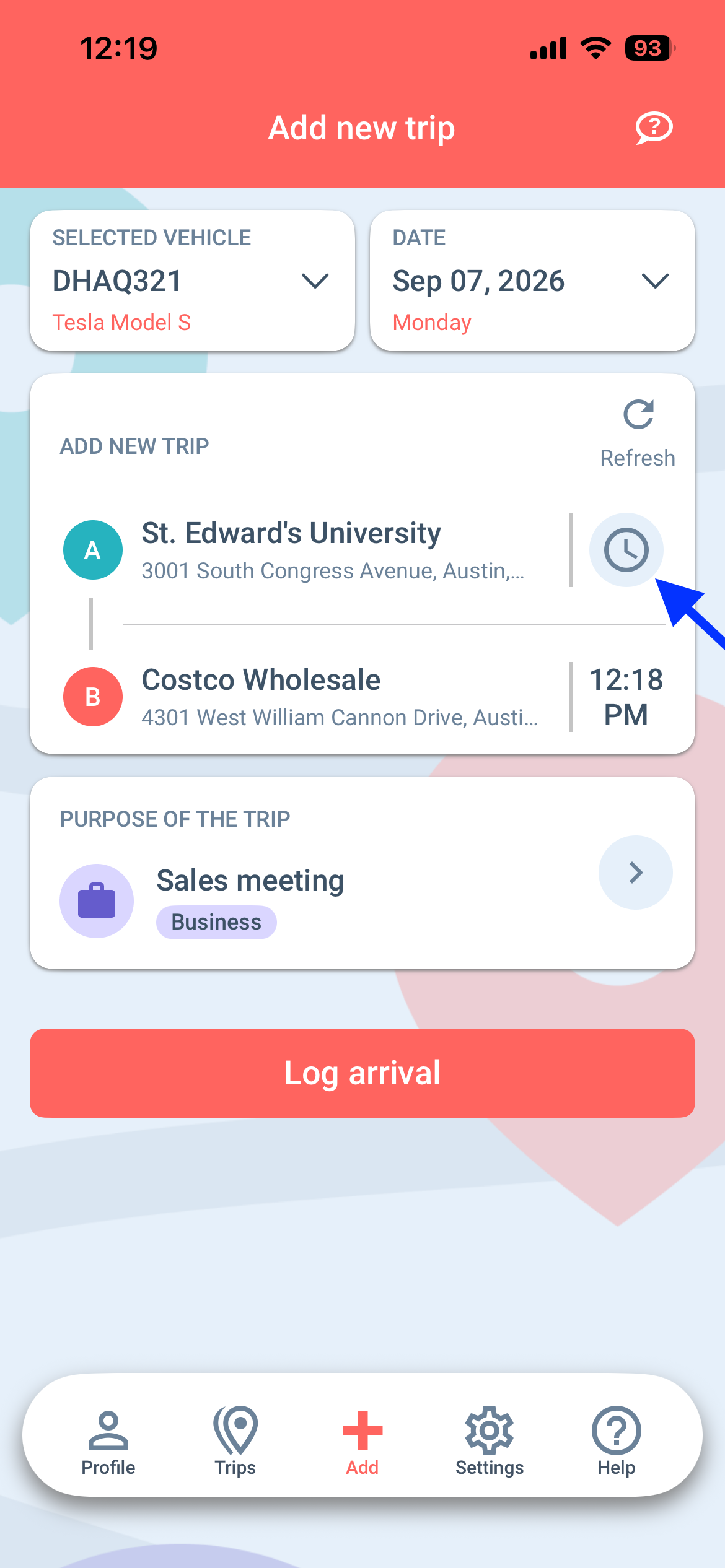
This applies to trips created or inserted from the following screens:
- Trips screen
- Add screen
To enter a start time, tap the clock icon in the A – Start row and select the desired time.
Important: There is no check of the manually entered start time. Any time can be entered and saved. Once saved, the selected start time will appear in the report if trip start times are enabled for the report.
Where Can I Add a Trip Start Time?
Mileage Tracker by MileageWise
You can enter a trip start time from: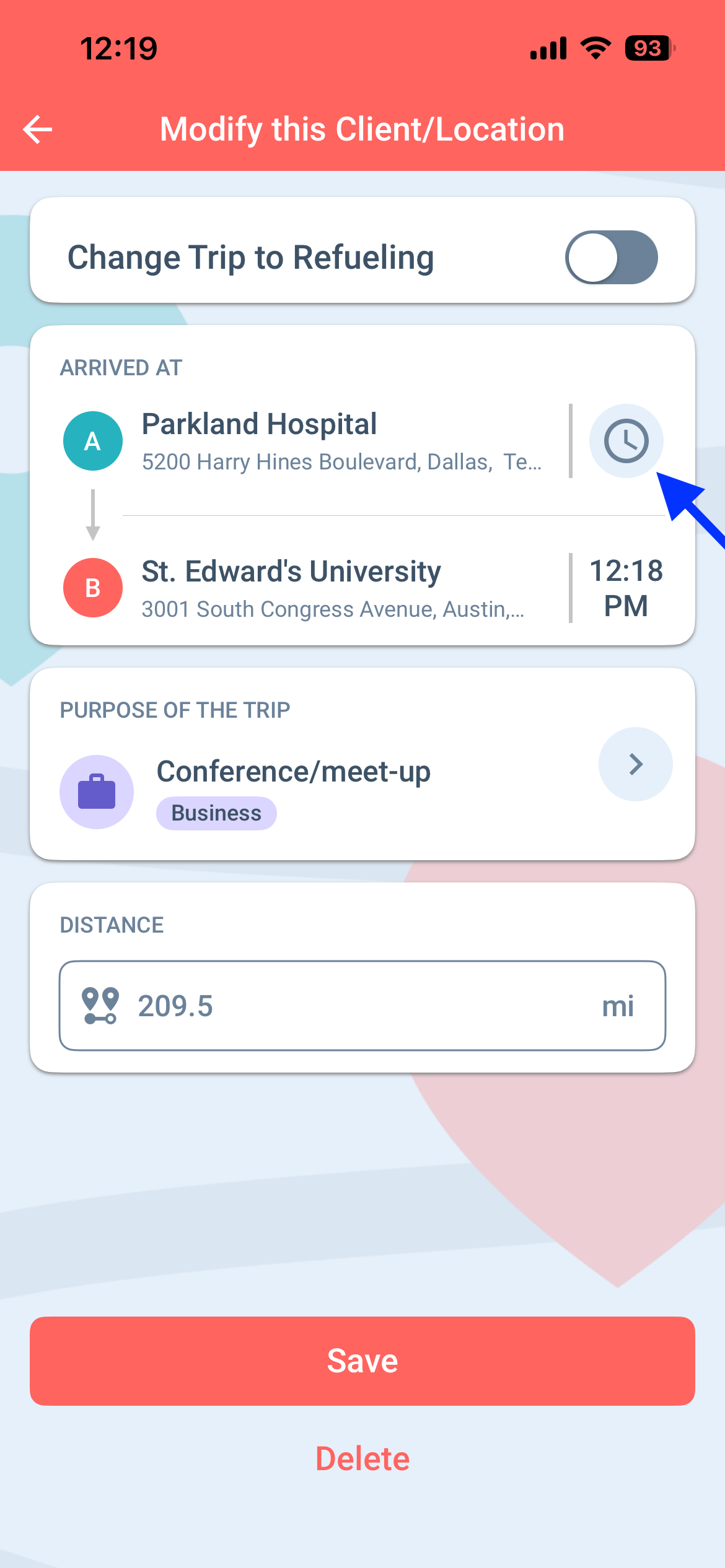
-
Open the Trips screen.
-
Tap an existing trip.
-
Choose “Modify this…” or “Insert Trip Below”, depending on what you want to do.
-
Tap the clock icon in the A – Start row.
-
Select the desired start time and save the trip.
You can also add a start time when creating a new trip from the Add screen.
Mileage Log from Google Maps
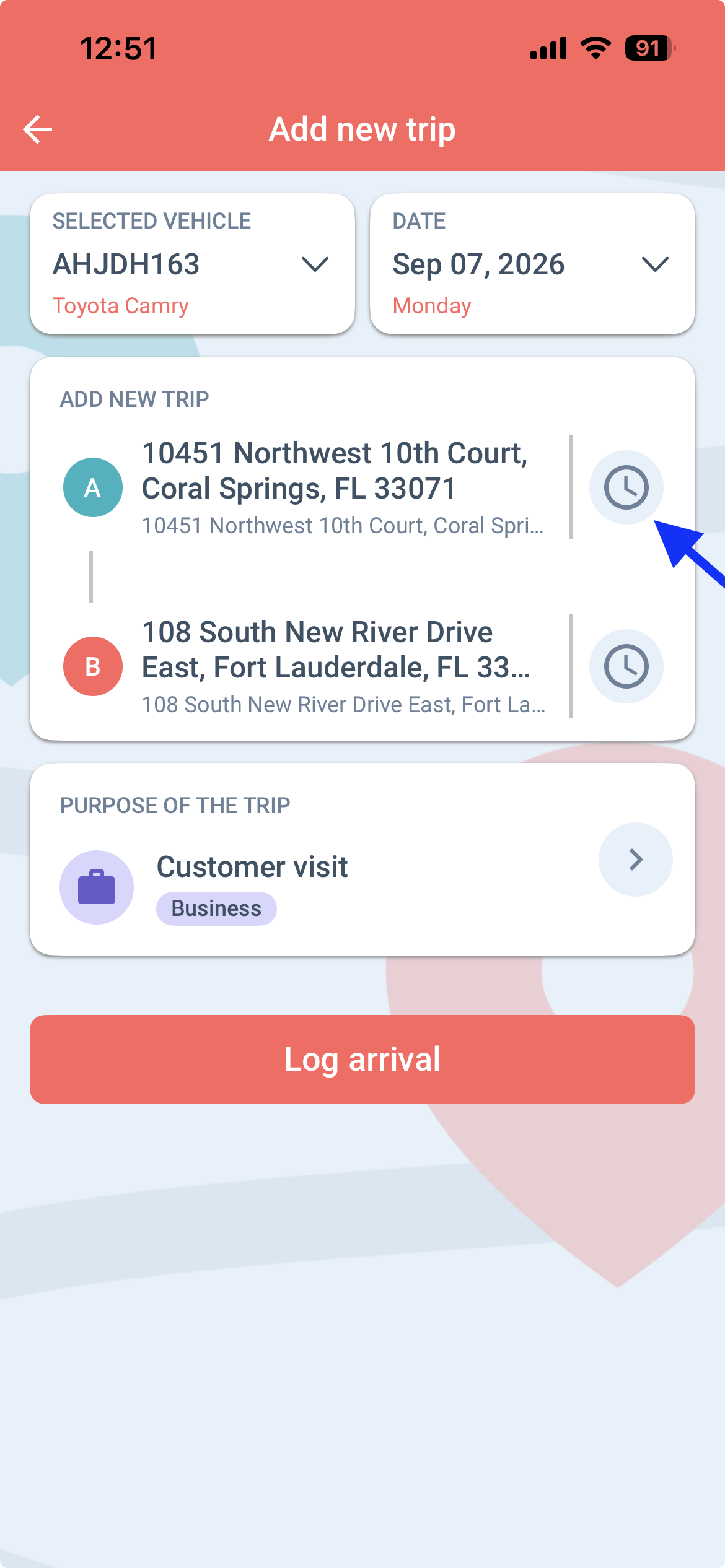
In the Mileage Log from Google Maps app, you can add a trip from the Trips screen by tapping the red + button.
The trip start time can then be entered by tapping the clock icon in the A – Start row.
Showing or Hiding Trip Times in Reports
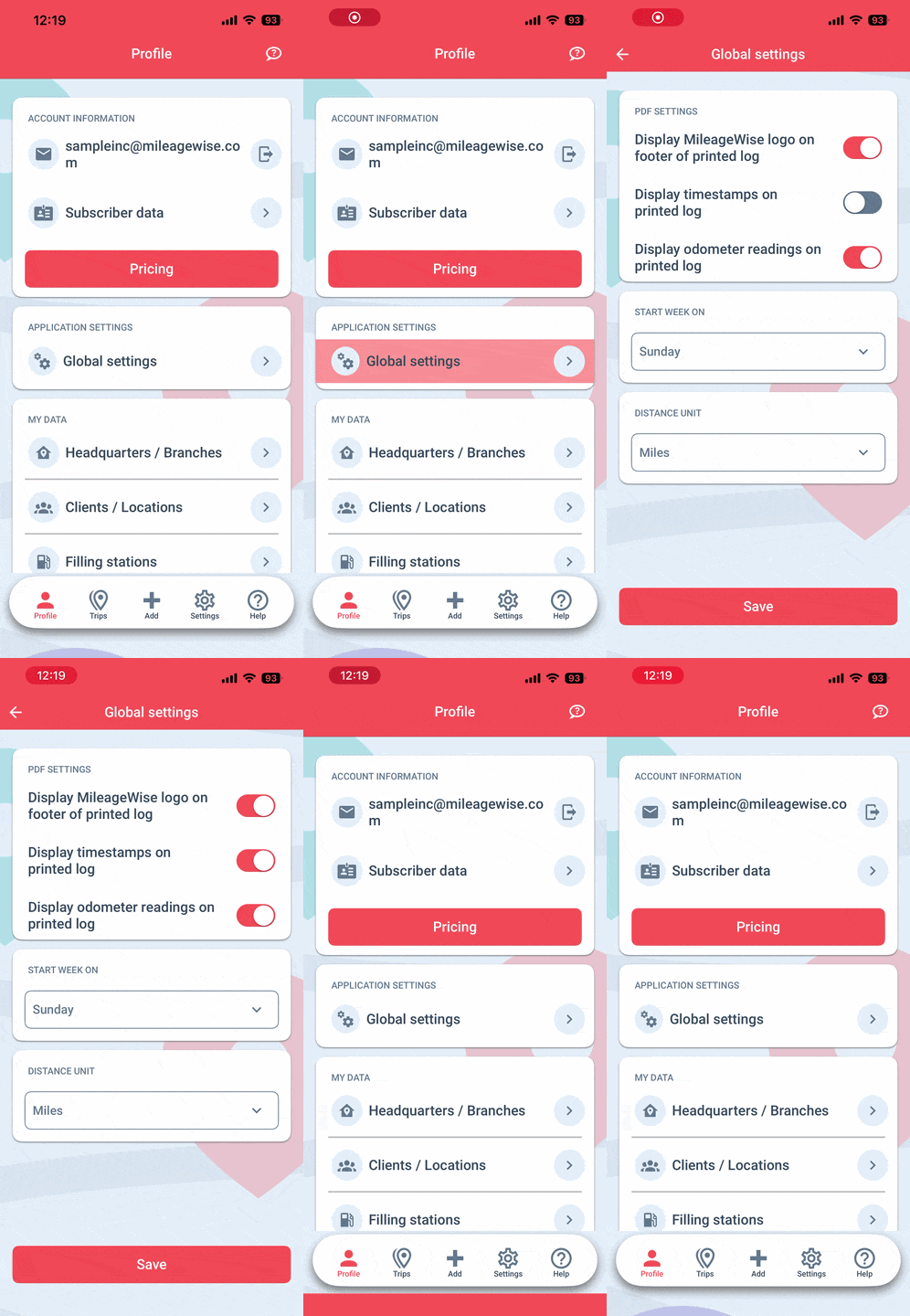
Trip start and end times are optional fields in your monthly mileage reports. You can choose whether to display them based on your local reporting requirements.
If trip times are enabled in the report settings, both the start time and end time will be displayed. If you disable the trip time display, neither the start time nor the end time will appear in the report.
