If you need to remove an unnecessary or incorrectly recorded trip from your mileage log, you can delete it in two ways.
1. Swipe to Delete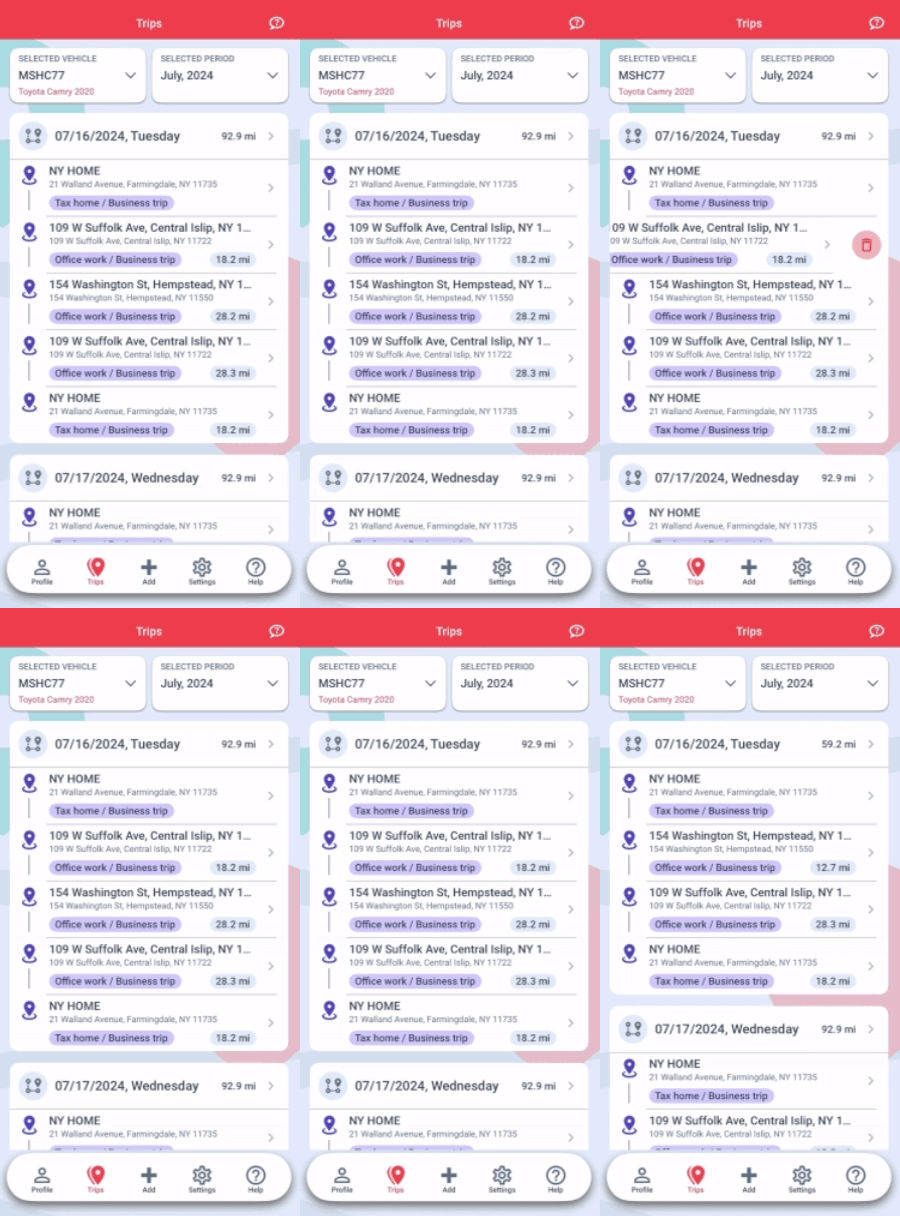
- Swipe left on the row of the trip you want to delete.
- A delete icon will appear on the right-hand side.
- Tap the delete icon to remove the trip.
2. Use the Pop-up Menu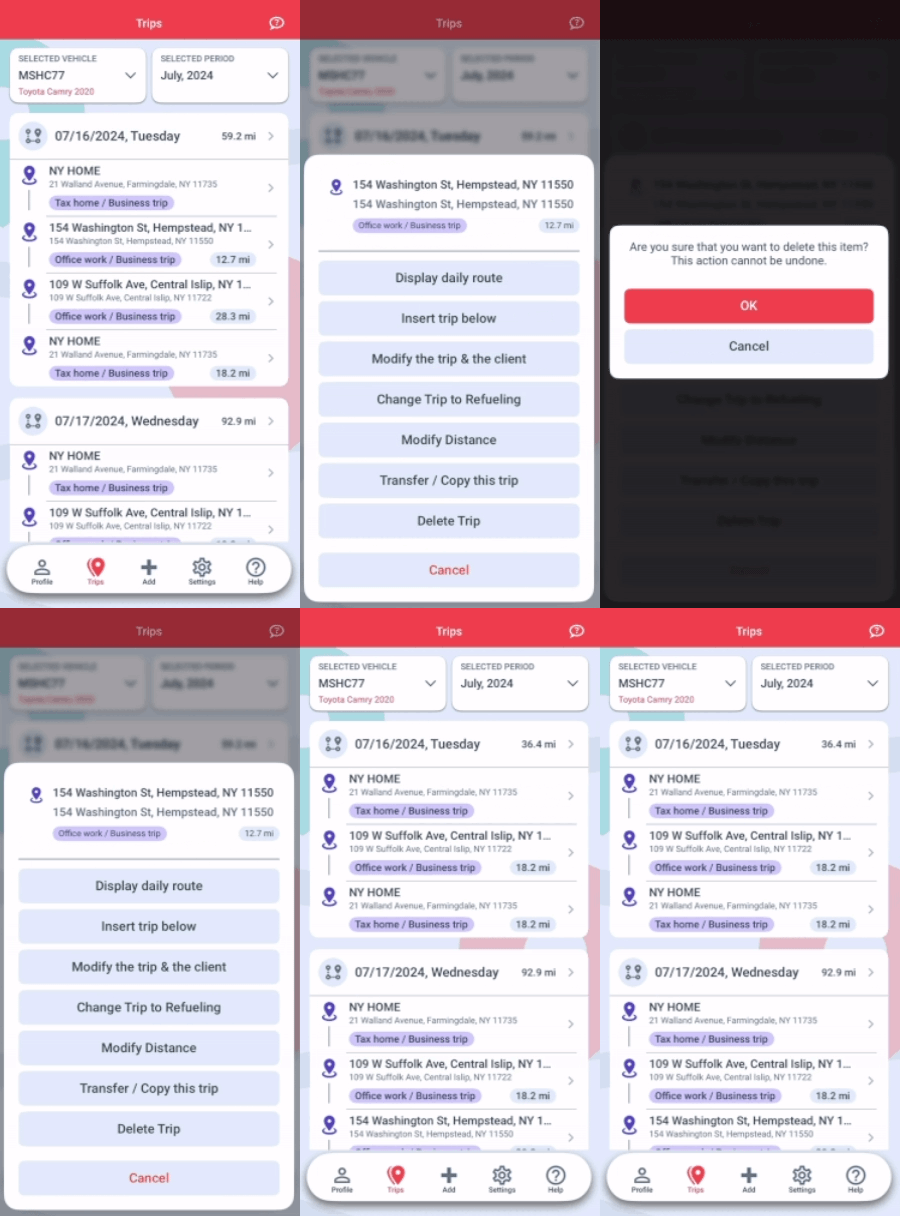
- Tap on the trip you want to delete to open the pop-up menu.
- Select Delete trip to remove it.
Both methods allow you to quickly remove individual trips from your log. Before deleting a trip, make sure you have selected the correct one.
