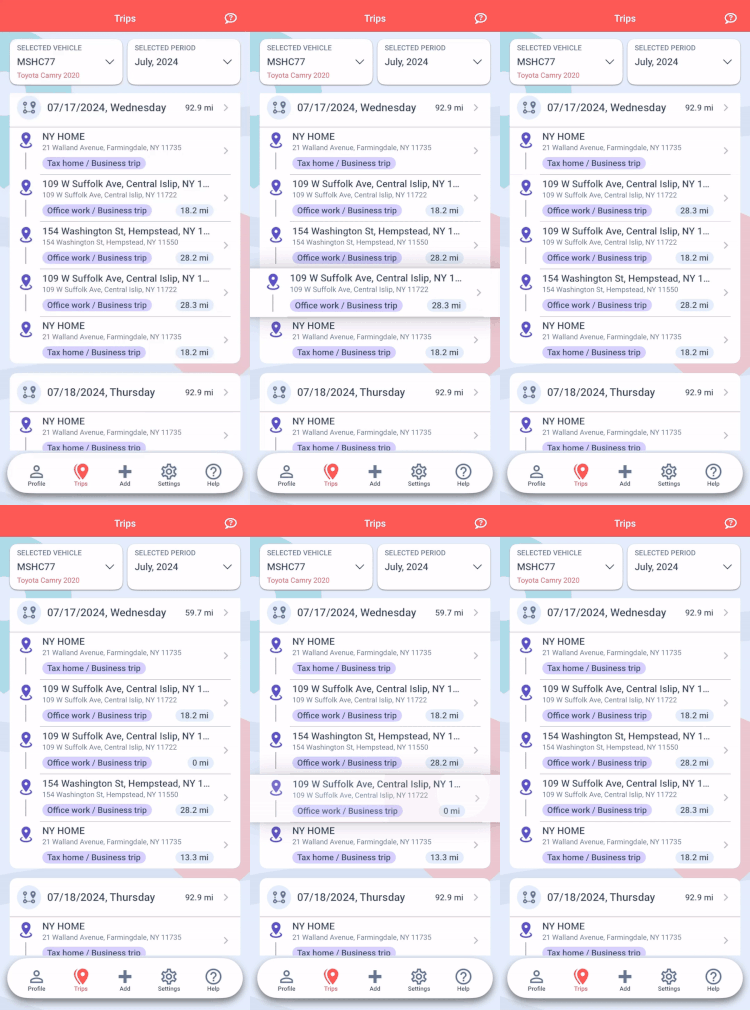
Trips are initially sorted by start time. However, if you edit a trip’s details afterward, the trips won’t automatically be reordered.
To rearrange trips within the same day:
- Long-press on the trip you’d like to move.
- Drag the trip to a new position within the day.
Make sure the trips remain in chronological order based on their start times to maintain accuracy and clarity. If needed, see How to Add or Display the Trip Start Time for instructions on displaying trip start times.